Save Editor – Upload SAV
& Custom Unlock Guide
Follow the step-by-step guide below to unlock 120 FPS & custom graphics settings using our Save Editor tool.
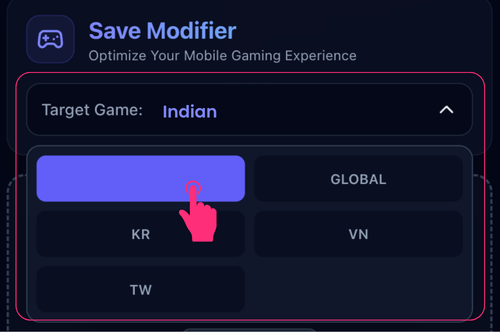
Open Save Editor →Choose the game version that matches your installed app. Selecting the correct version ensures your save file is fully compatible and works without errors.
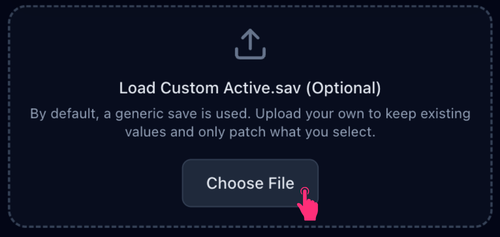
By default, a generic save is used. Upload your own Active.sav to keep your existing values like sensitivity and settings — only the FPS you select will be unlocked.
Pick your desired FPS (up to 120 FPS) and graphics quality. Higher settings require a capable device for smooth performance.
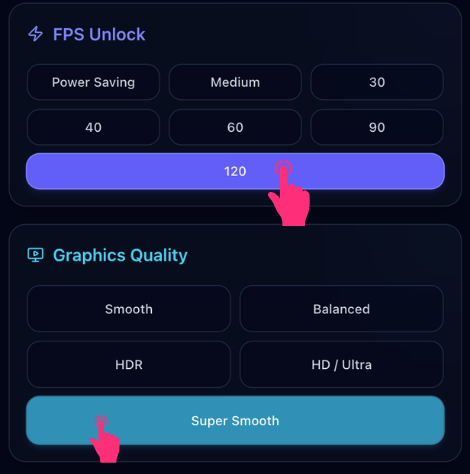
Choose a visual style to match your preference, then download your config file and upload the .zip inside the app.
⚡ Ready to Unlock 120 FPS?
Visit the Save Editor now and generate your custom save file in seconds — no PC required.
Open Save Editor →